Case studySaaSContract leadership
A digital waiver platform, zero to scale.
I led product design for DOCS.ink from the ground up. It's online waiver software used by thousands of US businesses to replace paper consent forms with digital signing. My job was to take it from early concepts to a production platform.
Live at docs.ink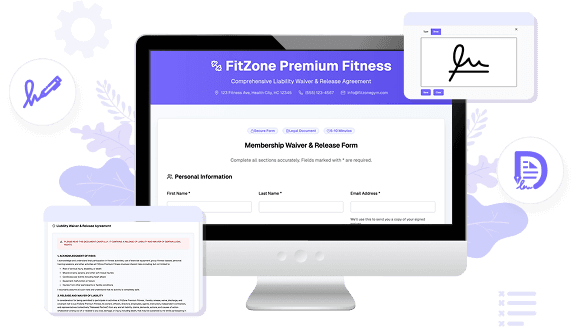
Context
A SaaS platform serving small businesses that still ran on paper.
DOCS.ink helps small businesses replace paper waivers with digital ones. The customers are specific: tour and rental operators, water sports outfitters, kids activity venues, gyms, events and expos. Anywhere someone signs a consent form before an activity, the platform handles it.
It covers the whole flow. There's a waiver builder with custom branding controls, multi-channel signing via link, QR code, or iPad kiosk, a guest management dashboard with search, filter, and download, and integrations with booking tools like Bookeo and Rezdy and marketing tools like Mailchimp.
I came on as Lead Product Designer during the foundational build, on a contract. The brief was open-ended: get it from early concepts to a production-ready platform. I owned design end-to-end, had one designer working with me, and shipped alongside a small engineering team.
The scope problem
One product, three very different users.
The tricky part of this project wasn't any single screen. It was the breadth. A complete waiver platform has to work for three users who have almost nothing in common:
- Business admin creating waivers, tracking who signed what, managing documents. Usually on a desktop browser. Can handle a bit of complexity.
- Front-desk staff running the iPad kiosk during a busy shift. No time for anything that needs explaining. The interface has to be hand-it-to-the-next-person obvious.
- End customer signing on their phone, probably outside, probably in a hurry. They've never used this product before and won't again.
Designing for any one of them is manageable. Getting all three to feel like the same product, across three devices, with a small team, was the actual challenge.
What I shipped
Four surfaces, one product.
Waiver builder
Template-based editor with custom branding (logo, colors), toggleable fields, and a live preview. Built so any business owner can publish a waiver without technical help.
Signing experience
Contactless signing via link, QR code, or kiosk. Mobile-first with large touch targets, clear progress, and a signature pad designed for outdoor use.
Guest management
Dashboard with at-a-glance metrics, signed waiver feed, real-time notifications, and search, filter, and download for every document. Encrypted storage, always backed up.
iPad kiosk mode
A single-purpose, auto-resetting check-in interface. Branded per business, requires no staff training, designed for the chaos of a busy front desk.
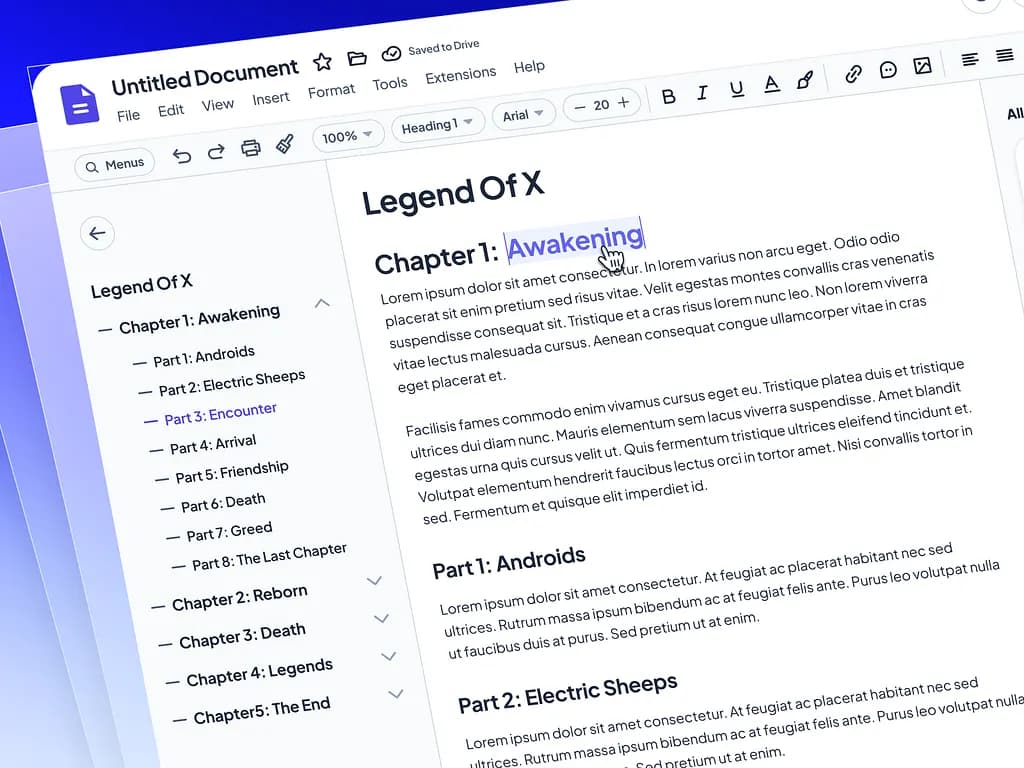
Build a waiver in minutes, not meetings.
Templates by industry, custom branding, toggleable sections, and a live preview so admins see exactly what their customers will sign before it goes live.
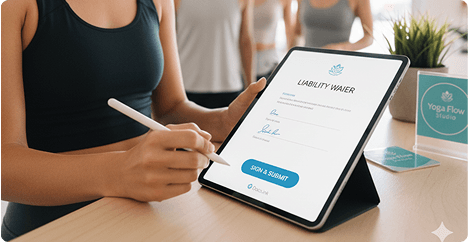
Contactless signing that works on any phone, outdoors.
Via link, QR code, or kiosk. The customer never downloads anything. Mobile-first, with a progress indicator, a full-screen signature pad, and a type-to-sign option for anyone who needs it.
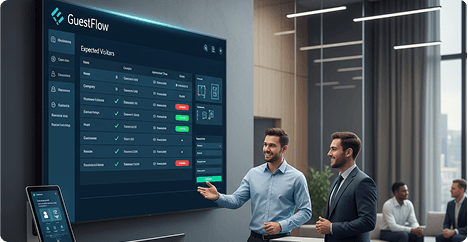
Guest management for people in a hurry.
At-a-glance metrics, real-time notifications, a signed waiver feed with search and filter, and one-click download. Built for a gym owner checking in between clients, not a data analyst with a dedicated screen.
Training-free front desk.
A single-purpose iPad interface for in-person check-ins. Branded per business, auto-resets after each customer, and designed to survive being handed between three people in ten minutes.
Approach
How I scoped the work as a lead.
Contract work is different from a full-time role in one real way: you have a deadline for everything, including yourself. Whatever I built had to be shippable, documented, and easy for the team to keep running after I left.
Design system before features.
I put time into a component library and token system before we built too many screens. It felt slow at first. But once it was in place, every feature after came together faster and the handoff was cleaner.
Not everything needs to be excellent.
With one designer and a fixed timeline, some things had to be great and some things could ship functional. The signing flow and waiver builder had to be great. Settings could ship good and get polished later. You can always improve a settings page. A bad signing experience costs you customers.
Prototype before committing.
I put key flows in front of real users before anything went to engineering. Even light testing caught real problems: the signature pad was too small on most phones, the kiosk reset was too slow for busy environments. Both are easy in Figma. Neither is easy in production.
Handoff is part of the work.
Component documentation, usage guidelines, and design-to-dev notes weren't extras I got to at the end. They were part of every deliverable. The system needed to keep working without me in the room.
Reflection
What I took from this one.
Starting from scratch sounds freeing, and in some ways it is. No legacy to fight, no inherited decisions to work around. But there's also no foundation. Every early choice becomes something the next thing has to build on, so you feel the weight of getting things right even when you're still figuring out what right looks like.
Working on a product for small business owners shifted how I think about simplicity. These aren't people who read release notes or spend time learning software. They're gym owners and tour guides fitting a digital tool into an already busy day. That lens made everything harder to design and better in the end.
The contract format taught me something too. Documentation and handoff aren't things you do at the end of an engagement. You do them the whole way through, because the moment you stop, someone else has to pick it up. DOCS.ink is the project where I stopped treating that as overhead and started treating it as part of the work.